From a tuition plan to a paid invoice
Keep every family's invoices, payments and balances in one place. Turn on autopay and reminders, record cash or check payments yourself, and see the few invoices that need a decision. You review the exceptions; Trio handles the routine.
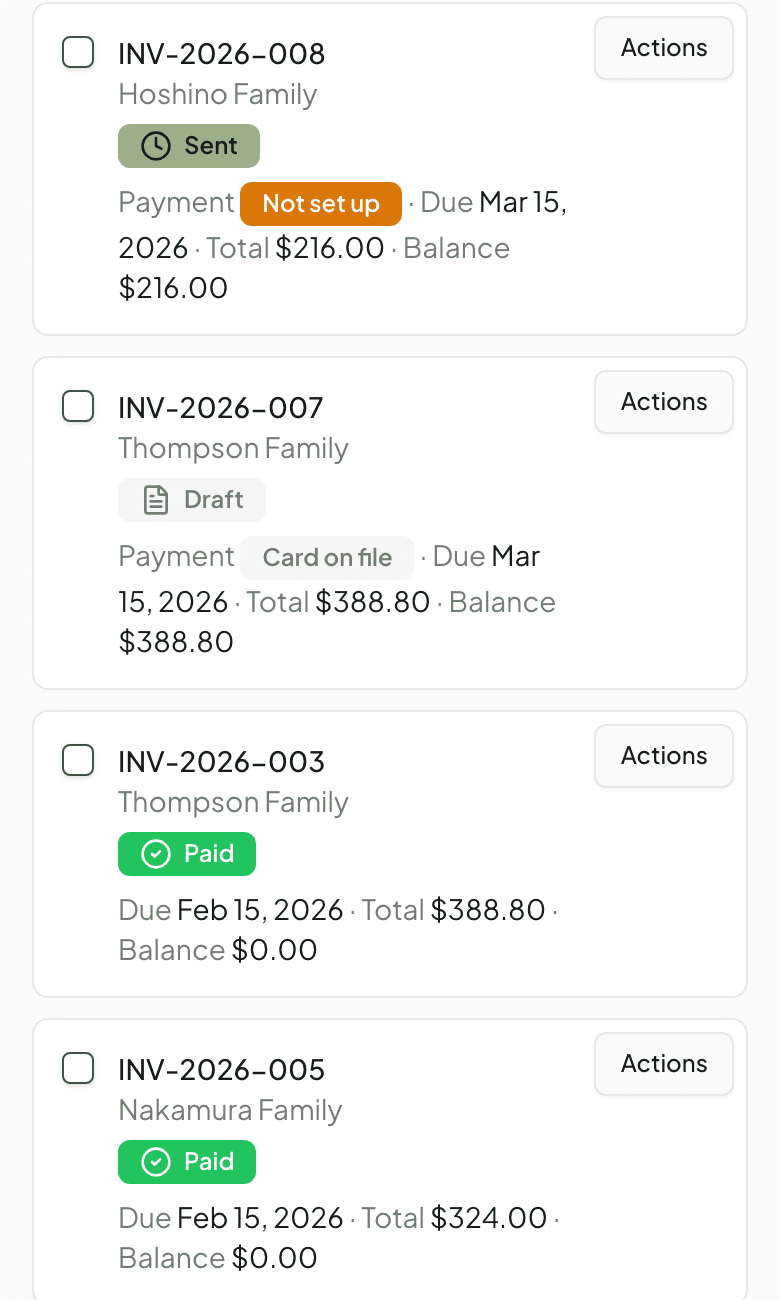
From a billing plan to paid
Take the Rivera family, who pay a flat monthly rate for two students plus an annual recital fee. At the start of the month Trio prepares one itemized invoice for the family, and you can hold an unusual invoice for review and approve it yourself before it sends. Once the invoice is sent, autopay charges the card the family saved, the family pays from their portal, or, if you took a check in person, you record it against the invoice. The family gets a receipt, the balance updates to zero, and the invoice drops off your attention list.
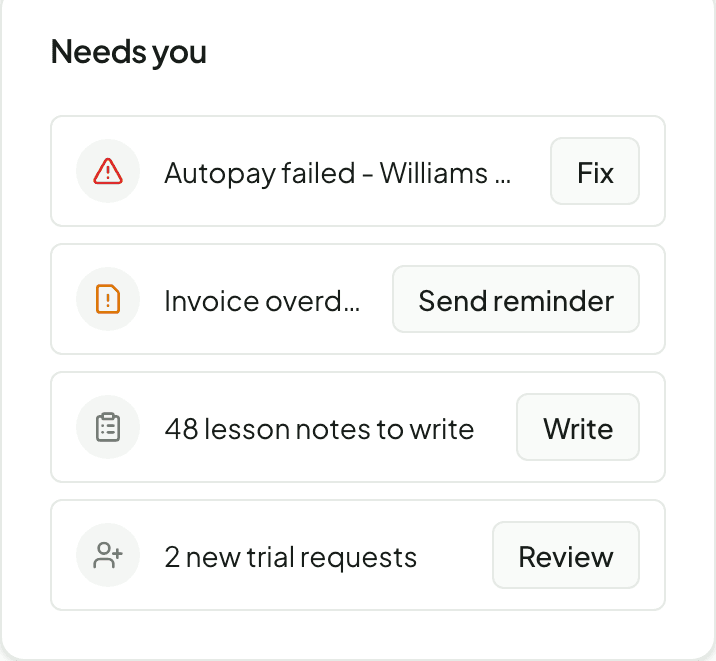
Preparing the invoice and collecting the payment are separate steps, so a sent invoice can still be waiting on the family. When a payment does need you, say the Williams family’s autopay fails, it appears on your dashboard with a shortcut to the next step.
What you can do
One invoice per family
Choose a billing plan for each family and Trio itemizes every student on a single invoice in your studio's branding. Families can pay it in full or in part.
Flexible billing plans
Bill a flat monthly rate, per scheduled lesson, or from a prepaid package, and add recurring fees like a recital charge.
Online card and bank payments
Families pay by card or bank transfer through Stripe and can save a method for autopay. Requires a Pro or Max plan and a connected Stripe account.
Reminders, grace periods and late fees
Send automatic payment and overdue reminders, set a grace period before an invoice counts as overdue, and add optional late fees.
Record cash and check payments
Took a payment in person? Record a cash or check payment against the invoice so balances stay accurate - on any plan, no Stripe required.
Failed payments, surfaced
When a card expires or a bank transfer fails, Trio retries the payment and shows it on your dashboard so you can ask the family for a new method.
Know when a payment needs attention
Cards expire and bank transfers fail. Trio retries eligible payments and lists failed autopay and overdue invoices on your dashboard, most urgent first. Each item includes a shortcut to the next step: ask for a new payment method, record a payment you took in person, or send a reminder. Sending a reminder nudges the family; it does not by itself clear the balance.
Availability
- Creating and sending invoices is available on every plan, including Free.
- Online card and bank (ACH) payments require a Pro or Max plan and a Stripe account connected through Stripe's onboarding. You can invoice before that setup is finished.
- Stripe's payment-processing fees are separate from your Trio subscription.
- Billing setup and invoices are managed by studio owners and admins; families pay and manage saved methods from their own portal.
Common questions
- Do I have to take payments online?
- No. You can create and send invoices on any plan, including Free, and record cash or check payments yourself. Online card and bank payments are an optional add-on on Pro and Max.
- What do I need to accept card payments?
- A Pro or Max plan and a Stripe account connected through Stripe's onboarding. Invoicing works before that is finished; online payment turns on once Stripe is connected.
- Are payment-processing fees included in my subscription?
- No. Stripe's payment-processing fees are separate from your Trio subscription and are set by Stripe.
- Can one invoice cover several students in a family?
- Yes. Each family gets a single itemized invoice, however many students they have, and can make a partial payment against it.
Related features
Ready to try Trio?
Parent or student? Sign in to your portal.